Back to HomeMMAGENTS.TECH
How To Setup AI AgentsQuick Infographic Guide
📱Phase 1: Get Ready
1Install These Apps
- Telegram – For Agent control
- Coinbase – To buy and sell crypto (Solana)
- (Optional: Crypto.com / MoonPay / Revolut / CoinSpot / Kraken)
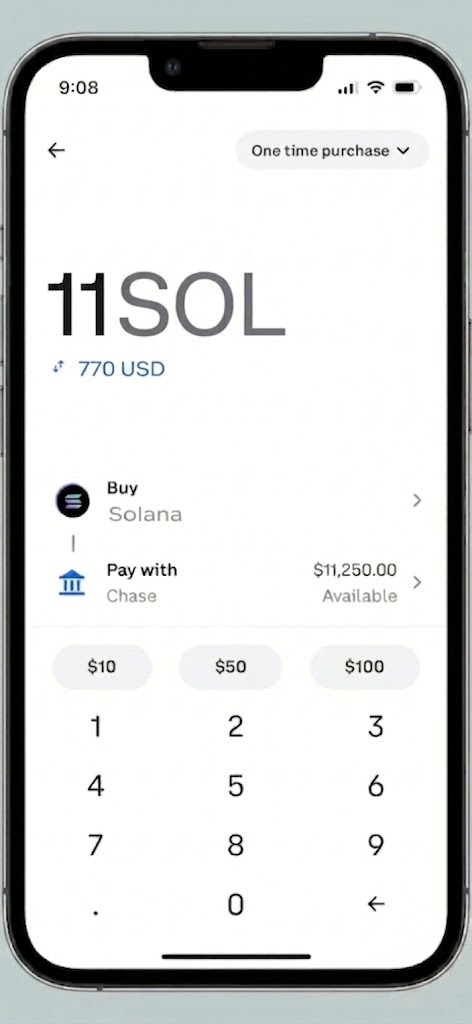
Recommended Buying: 11 Solana
Solana price varies in open market, But mostly fluctuate between $90 to $100 per Solana.
Solana price varies in open market, But mostly fluctuate between $90 to $100 per Solana.
🔐Phase 2: Create Wallet / Import Wallet
2Find the Agent
- Open Telegram
- Search:
@Mememachine_techbot - Tap "Start"
3Create Wallet
Tap "Create Wallet" button → Address generated instantly
4Import Wallet
Tap "Import wallet" button If you already have a solana wallet.


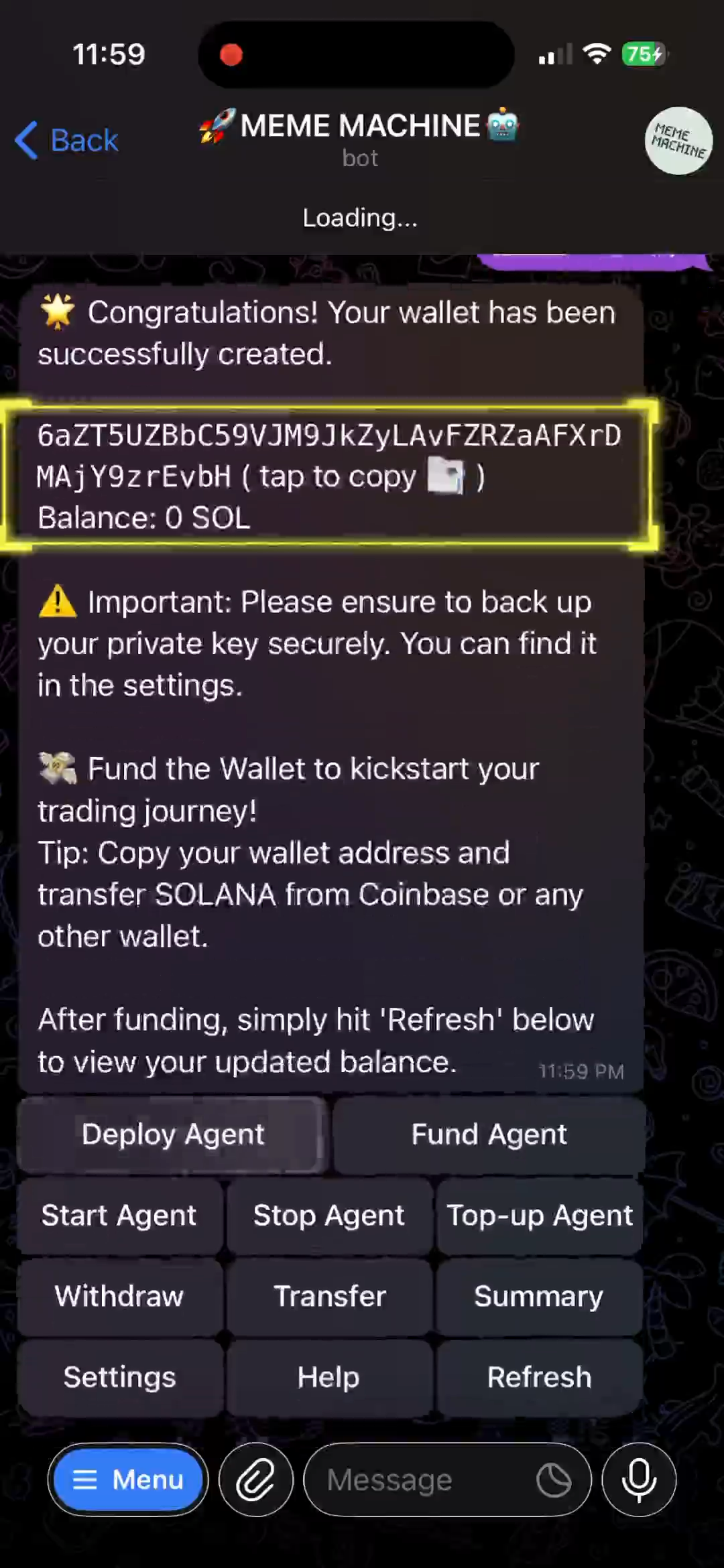
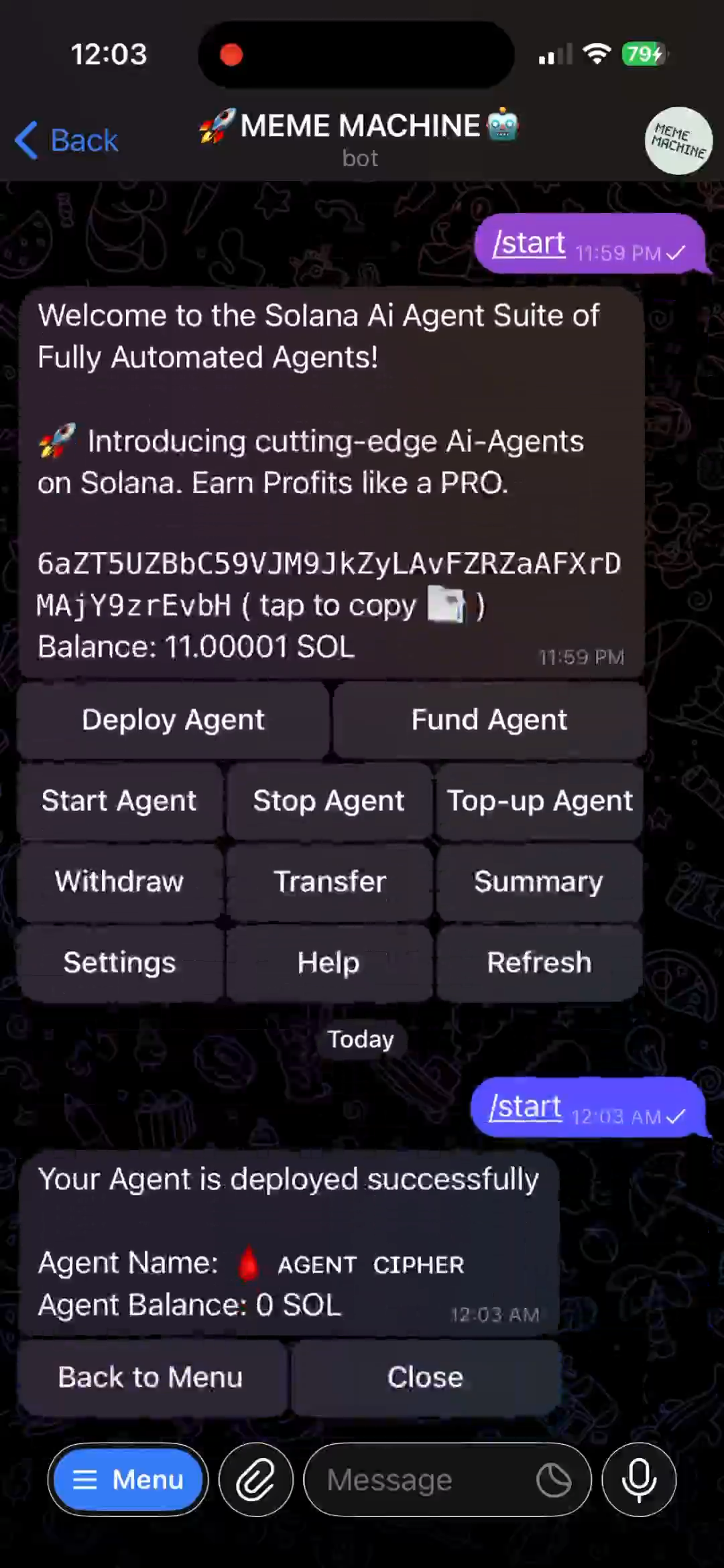
Your Wallet Address:
6aZT.......EvbH where you need to add funds to use to get your agents running.💰Phase 3: Buy Solana (SOL)
5Purchase Flow
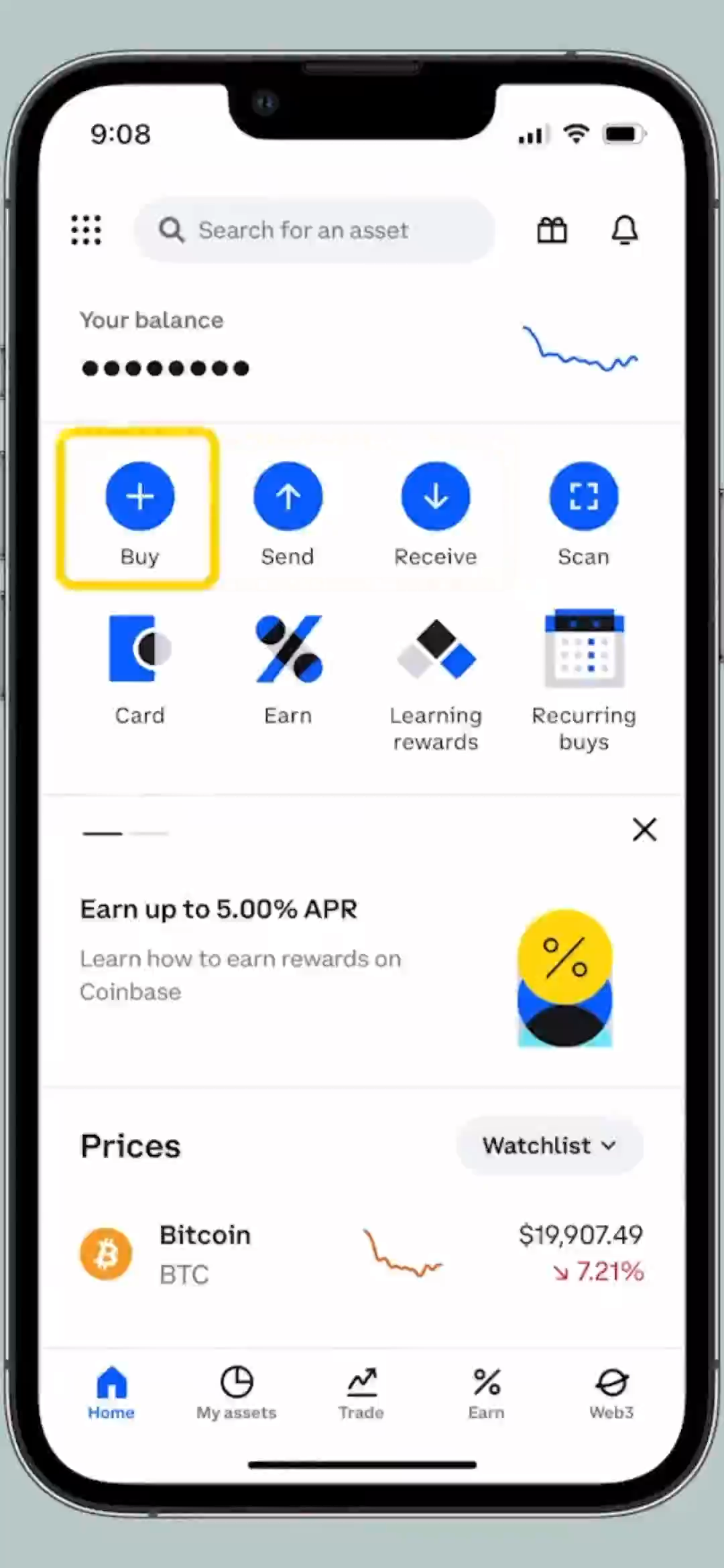
- Open Coinbase app
- Tap "Buy" (+)
- Select Solana (SOL)
- Enter 11 SOL — You can also enter amount in USD
- Pay via bank/card
- Confirm order
💸Phase 4: Send SOL to Agent
6Copy Agent Address
Go To Telegram Agent Chat → Tap wallet address → Copy to clipboard
7Send from Coinbase
- Coinbase → "Send"
- Paste Agent wallet address
- Amount: 11 (11 SOL)
- Verify SMS code (7-digit)
- Hit "Send now"
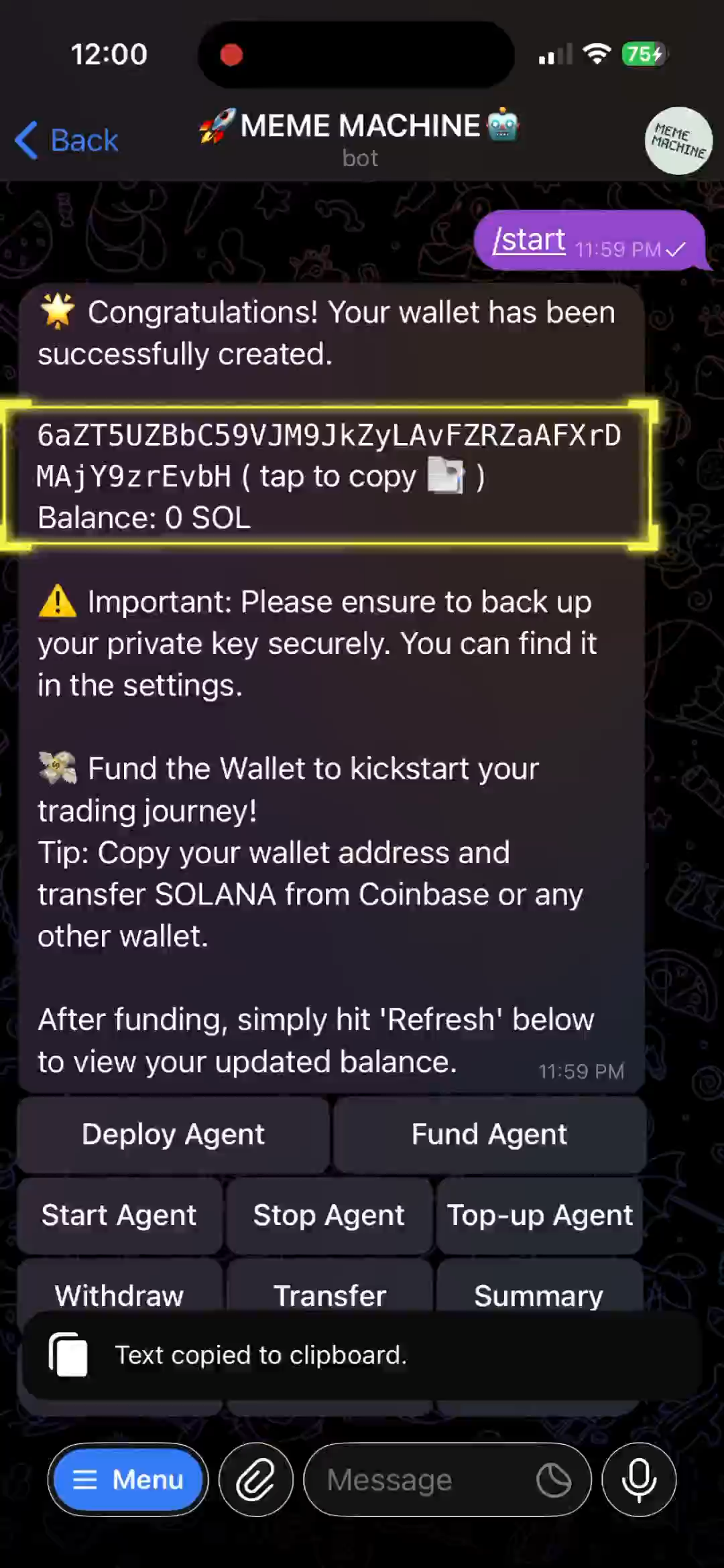
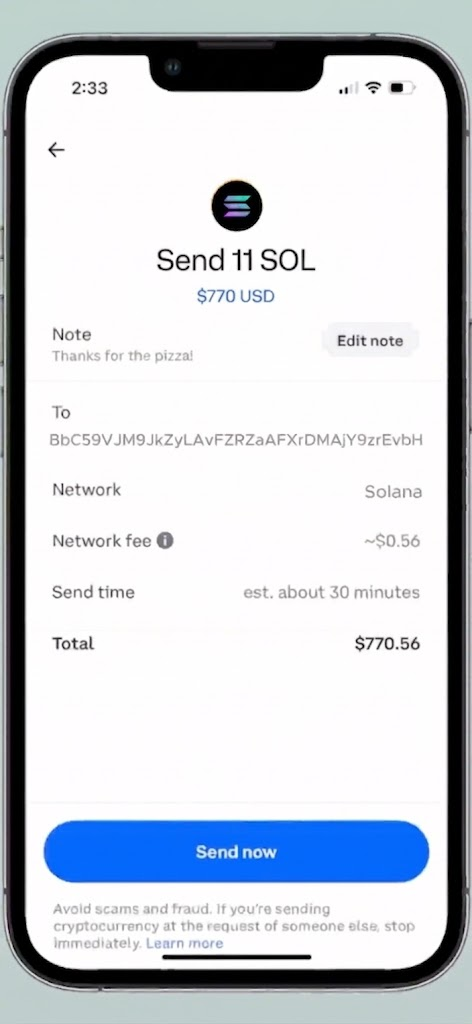
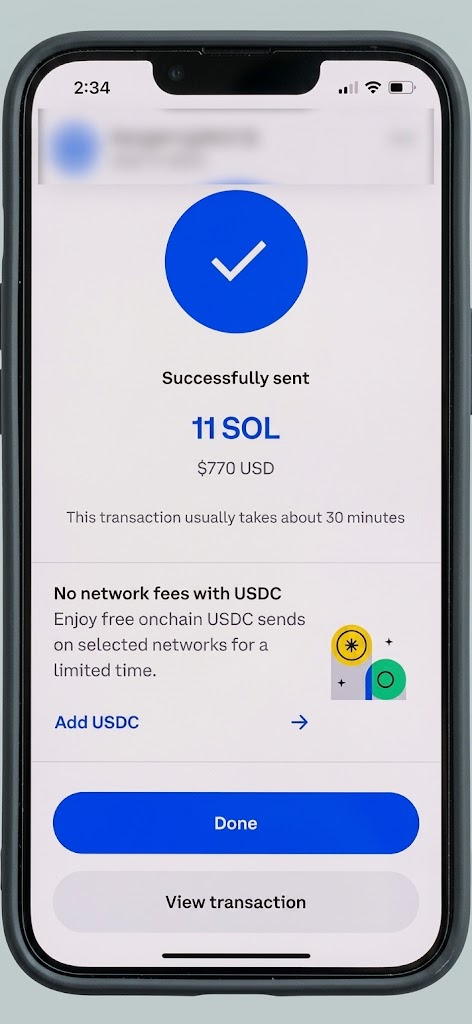
After sending: Return to Agent → Tap "Refresh" → Balance updates (~30 min)
🚀Phase 5: Deploy Agent
8Choose Your Agent
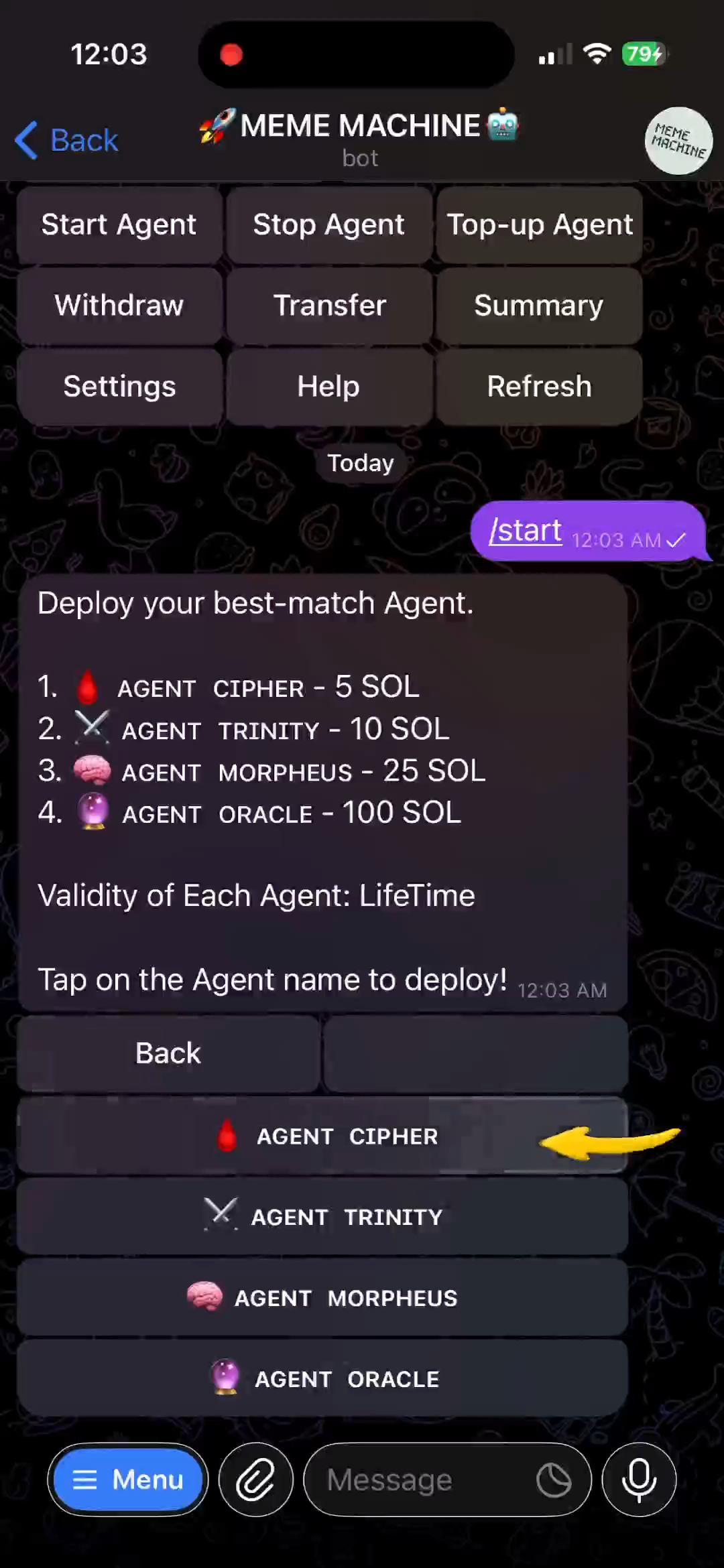
Menu → Tap "Deploy Agent" → Pick one:
| Agent | Cost | Tier |
|---|---|---|
| 🩸 CIPHER | 5 SOL | Entry ★ |
| ⚔️ TRINITY | 15 SOL | Mid ★★ |
| 🧠 MORPHEUS | 25 SOL | Pro ★★★ |
| 🔮 ORACLE | 50 SOL | Elite ★★★★ |
| 🖲️ QUANTUM | 100 SOL | Elite ★★★★★★ |
| ⚡ NEO | --- | Elite ★★★★★ |
9Deploy Agent Cipher
- Tap AGENT CIPHER
- Confirm (pays 5 SOL fee)
- Await ~1 min confirmation
- Success!
▶️Phase 6: Fund & Activate
10Add Trading Money
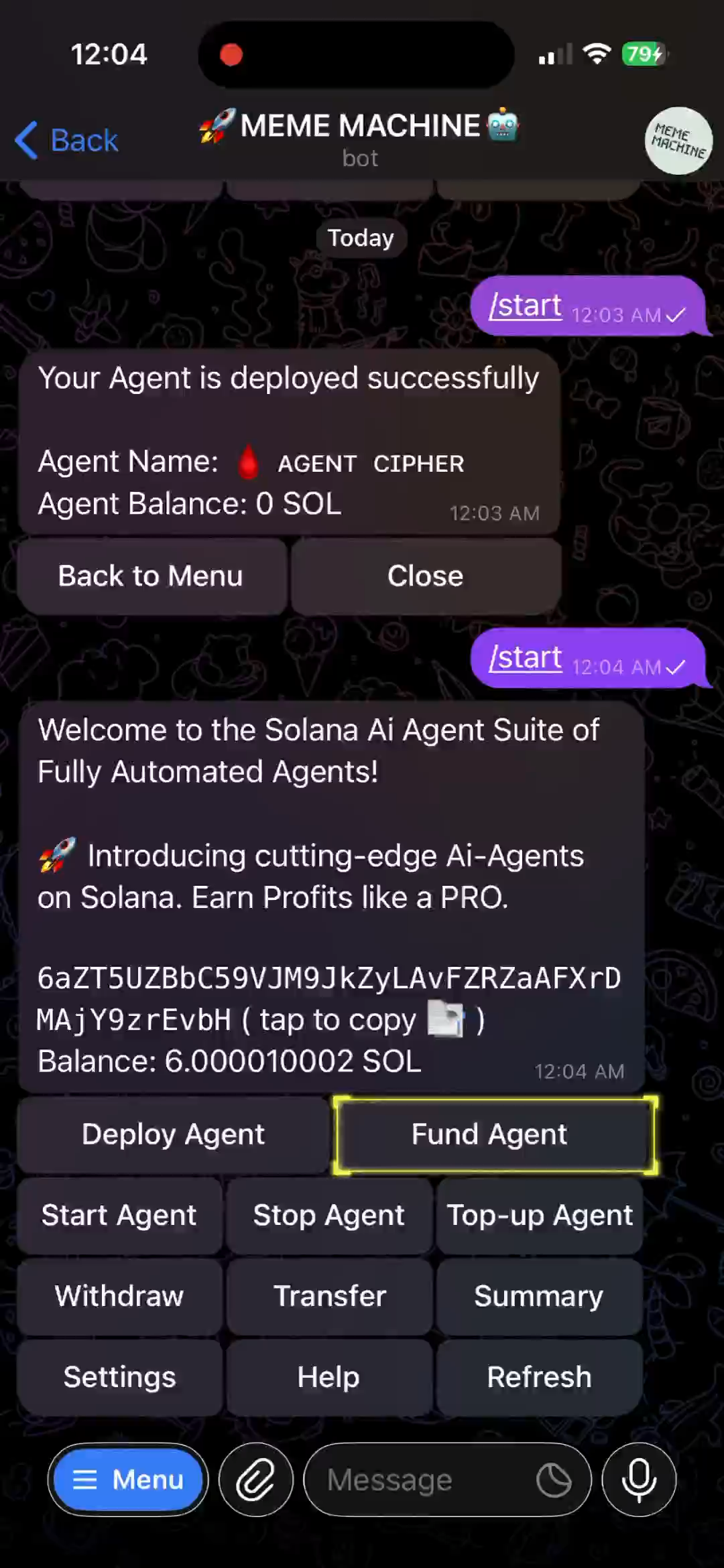
Menu → "Fund Agent" → Select CIPHER → Enter 5 SOL → Confirm
Result: Wallet: 1 SOL left | Agent: 5 SOL ready
11Go Live!
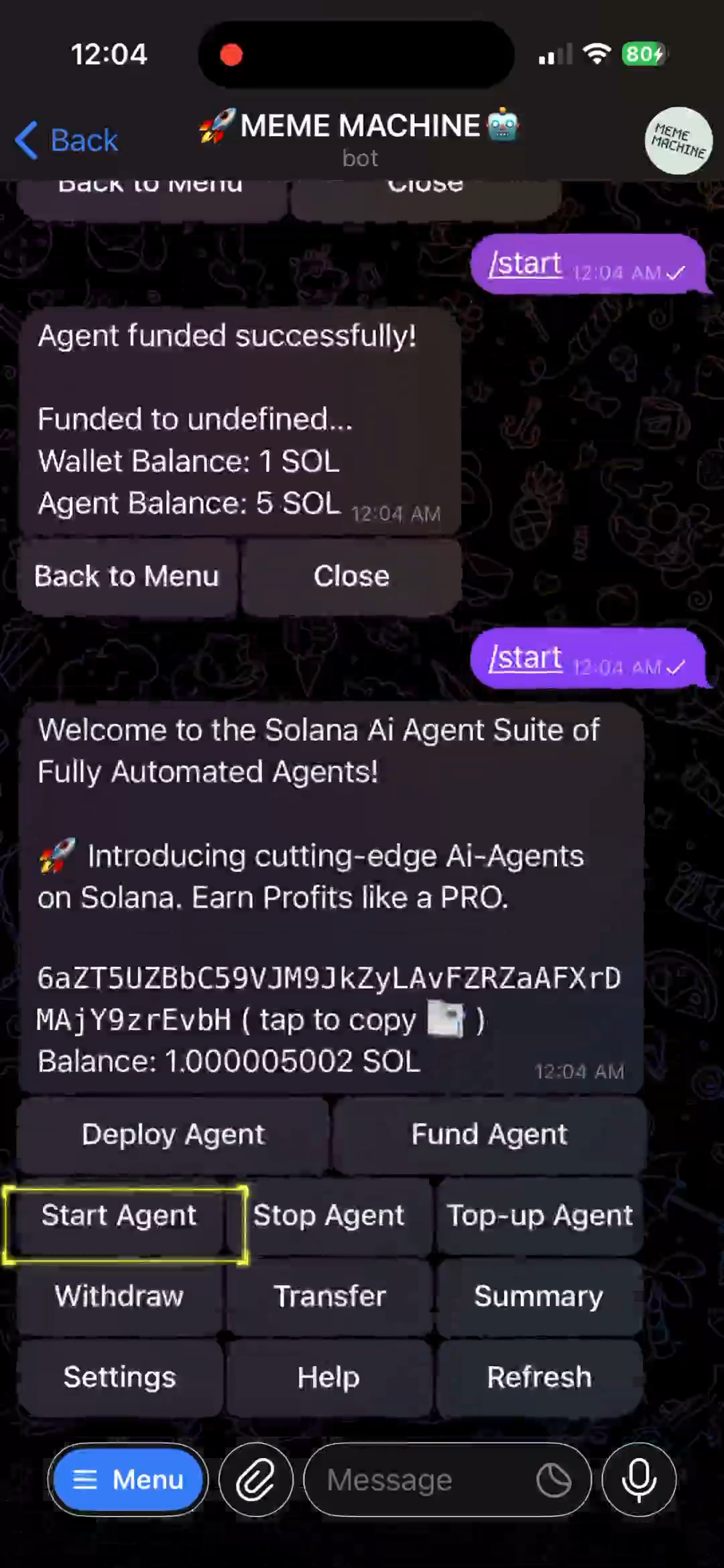
Menu → "Start Agent" → Select CIPHER → Confirm
Agent now runs 24/7 on autopilot!
SETUP COMPLETE!
Agent: CIPHER | Status: RUNNING | Capital: 5 SOL
Monitor anytime via Menu → Summary
Agent: CIPHER | Status: RUNNING | Capital: 5 SOL
Monitor anytime via Menu → Summary
📊Monitor Performance
12Check Dashboard
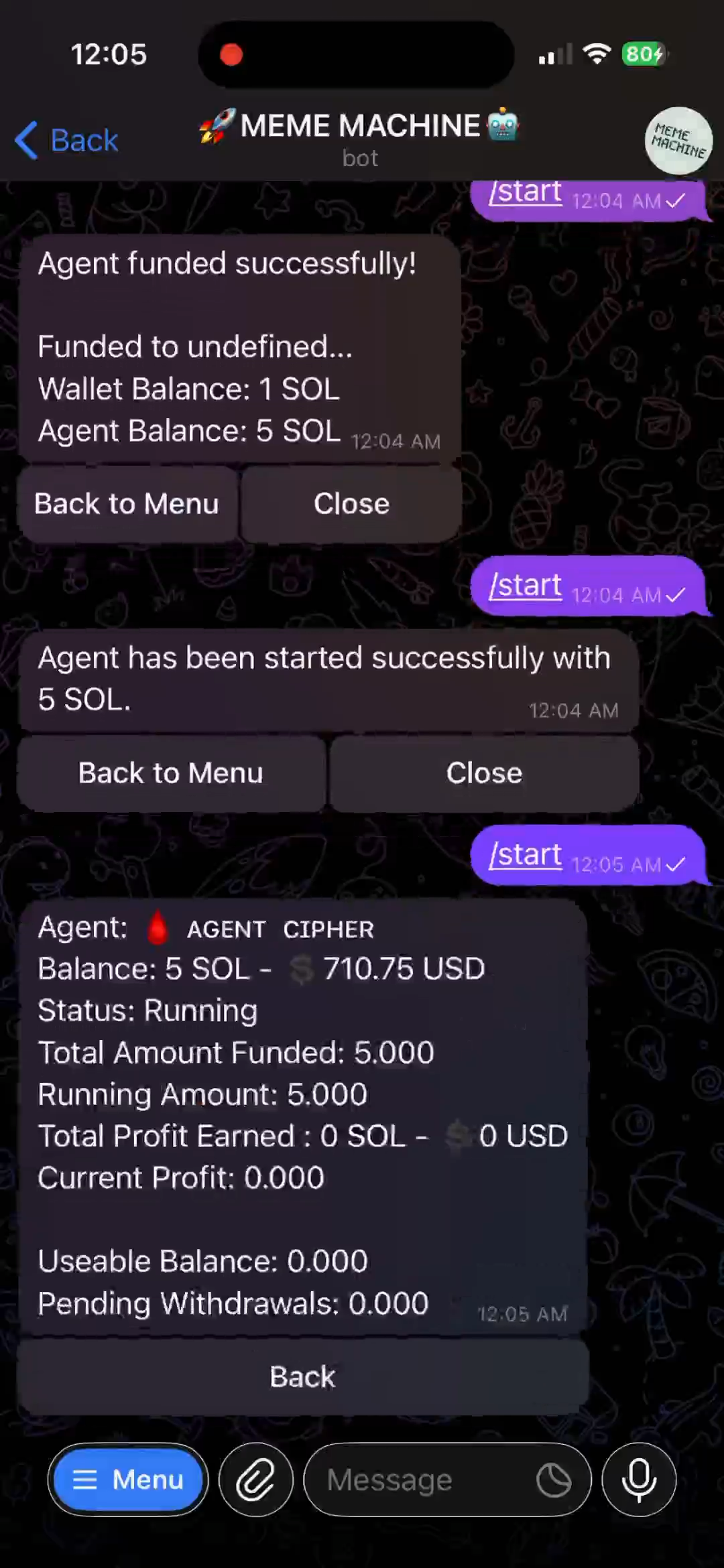
Menu → "Summary" → View metrics:
- Balance (SOL + USD value)
- Status (Running/Stopped)
- Total Profit
- Useable Balance (withdrawable)
Control Commands Available:
Stop | Top-up | Withdraw | Settings | Help | Refresh
Stop | Top-up | Withdraw | Settings | Help | Refresh